
Accessibility tools
HeadingsMap
- Last reviewed
- 13 August 2026
Check the structure and hierarchy of headings.
What you can test
This tool can help you identify potential accessibility barriers that may affect people with:
How to install
Use the links to install:
HeadingsMap for Chrome and Edge
HeadingsMap for Firefox
It's not available for Safari.
How to use
Once installed, you can launch the tool from your extensions bar. It appears as the letter h with a forward slash.
Once selected, it will then appear and show the heading hierarchy of your webpage.
What results could look like
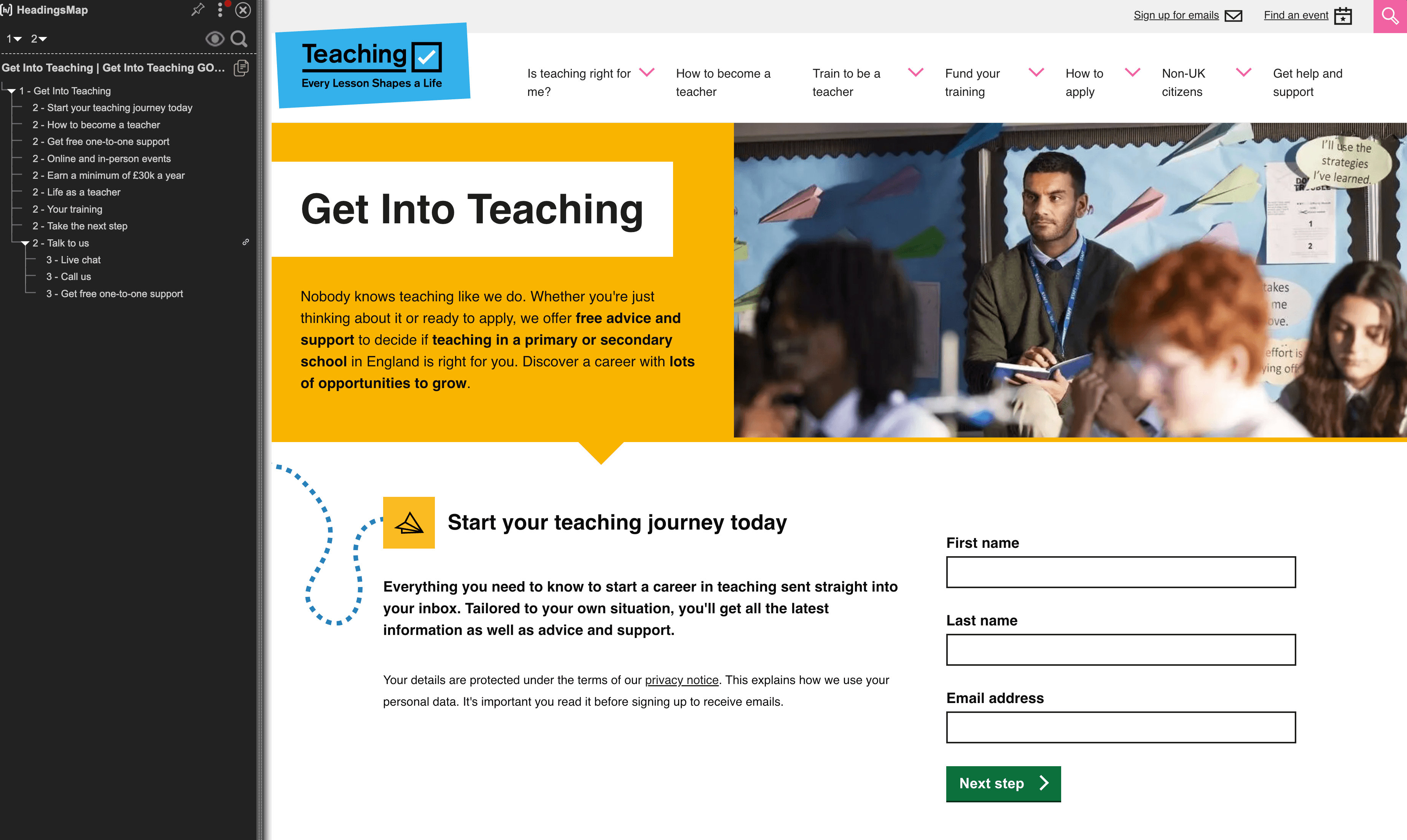
HeadingsMap will show the heading structure of the page, with the hierarchy of headings displayed on the left hand side.
This will help you to understand the structure of the page and identify any issues with the heading structure.
This screenshot of the HeadingsMap tool showing the list of headings and heading structure on a webpage:
View larger image in a new tab
What to do next
Find out how to interpret accessibility test results, including identifying false positives and avoiding false assurance.
If an issue is genuine, speak to your developer or design team to consider and implement a fix.
Read guidance about how to manage and prioritise accessibility issues.